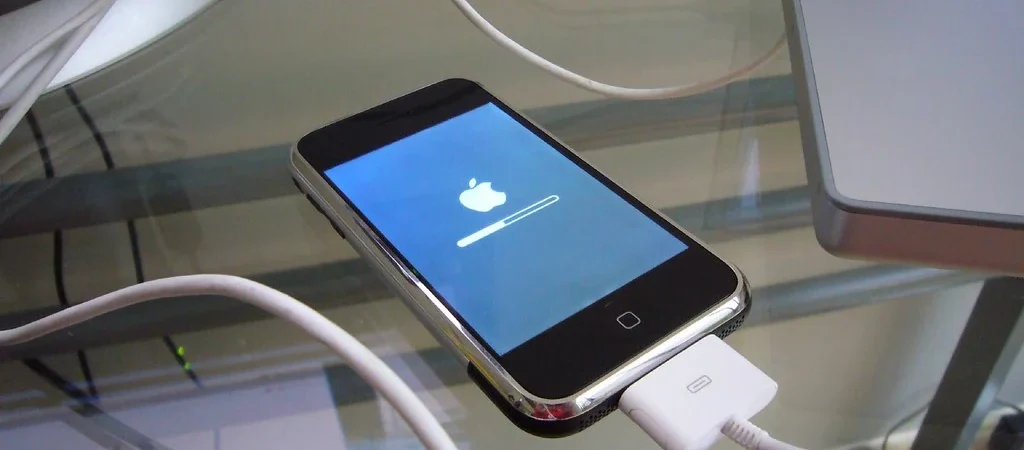
Apple shipped iOS 27 on September 14, 2026, and within hours “iOS 27” was one of the most-searched terms in the country — with millions of Americans staring at that Software Update screen wondering the same thing: will this make my phone better, or older?
The honest answer is “both, depending on your phone and your habits.” iOS 27 is a big release with genuinely useful upgrades, and it also has a quiet side effect most people ignore: on older hardware, each major update trades a little speed and a lot of battery for new features. Here’s how to decide in five minutes whether to tap Update tonight or hold off — and how the decision affects the biggest phone-related expense of all: when you have to buy the next one.
What’s Actually New in iOS 27
The headline changes, in plain terms:
- A redesigned Camera and Photos app with a new 1.2.2-style layout and faster editing tools — the most visible change day-to-day.
- Deeper Apple Intelligence features — but only on iPhone 15 Pro and newer. If you have an iPhone 12–14, you get the OS, not the AI layer.
- Smarter Siri and on-device summaries, again gated to newer chips.
- Continuity upgrades with iPad and Mac (iPadOS 27 and macOS 27 shipped the same day), making an all-Apple setup meaningfully more cohesive.
- Security fixes you should not skip — every iOS point release in 2026 has patched actively exploited vulnerabilities. This is the one argument that outweighs everything below.
Which iPhones Get iOS 27 (and Which Secretly Don’t Want It)
Apple’s rule this year was generous: any iPhone that runs iOS 26 gets iOS 27, all the way down to the iPhone 11. Compatibility, however, is not the same as quality of life:
- iPhone 15 Pro and newer: update day one. You get the full feature set and the hardware to run it.
- iPhone 12–14: update, but check battery health first (Settings → Battery → Battery Health). Above 85% maximum capacity, iOS 27 should feel normal. Below about 80%, the update will amplify existing sluggishness — replace the battery before you blame the software.
- iPhone 11 and older: this is the real judgment call. Apple is explicitly using these updates to nudge aging hardware toward the exit. If your iPhone 11 is your daily driver and your budget can’t absorb a replacement this year, staying one version behind for a few months is a legitimate tactic — but only if you accept that you’re skipping security patches, which is why we generally still say: update, and plan the phone upgrade consciously instead.
The Hidden Money Angle: Your Update Decides Your Upgrade Date
Most people treat “my phone got slow after the update” as an annoyance. It’s actually a $800–$1,100 financial event arriving six months early — and usually financed badly. Three rules keep that from happening:
- Never let a software feeling drive a hardware purchase. Update, wait two weeks (the indexing and background re-optimization period makes every phone feel weird at first), then judge. Battery replacement on a 3-year-old iPhone costs $69–$129 at Apple and routinely buys two more good years.
- If you do upgrade, check trade-in value the same week. Apple quotes $35–$885 depending on model, and independent buyback sites often pay $100+ more in cash. Every month of delay is real depreciation — see our breakdown of the iPhone Duo launch math for how the new lineup reshapes trade-in values.
- Pay with a 0% carrier installment plan or in full — never on a card you carry. At the ~19.6% average card APR, a $1,000 phone costs roughly $200 in interest over a year. The phone isn’t on sale; the financing is what makes it look affordable.
Pre-Update Checklist (90 Seconds, Worth It)
- Back up to iCloud or a computer — major updates fail on a small but real percentage of devices.
- Free up 10+ GB of space before starting; half of “update failed” reports are storage.
- Check Battery Health percentage; under 80% is a $99 signal, not a $1,000 signal.
- Charge to 50%+ and use Wi-Fi.
- If you bank on this phone, update after the first .1 point release (usually 1–2 weeks out) unless you’re patching a known security issue — then patch immediately.
The Battery-Anxiety Cycle — and How to Break It Cheaply
There’s a predictable pattern after every major iOS release: phones run warm for a few days (background indexing), battery percentages fall faster than usual for two weeks, forums fill with “iOS 27 killed my battery,” and a wave of perfectly usable phones gets shopped into the trade-in bin three to six months early. Break the cycle with data instead of vibes. Settings → Battery shows per-app drain over the last 24 hours and 10 days, and Battery Health shows true physical capacity. iOS 27 is not the villain of most slow-phone stories — a degraded battery is. If your maximum capacity is above 85%, wait out the indexing period before judging anything. Between 80 and 85%, a $99 battery replacement plus the update routinely produces the best phone the device has been all year. Below 80%, the shutdowns and throttle events you’re blaming on software are the battery asserting itself, and no version of iOS will negotiate with it.
What Not to Do: The Three Most Expensive Reactions to an Update
- Buying the first new model out of frustration. A phone that “feels slow” two days after an update is a two-week problem, not a $1,000 problem. Most regretted upgrades trace back to judging performance during indexing.
- Skipping security updates “to keep speed.” The performance difference between iOS 26 and 27 on a three-year-old phone is small; the difference between patched and exploited is not, especially for phones used for banking apps and two-factor authentication.
- Buying refurbished with the wrong expectations. If you do retire a phone after an update, sell it to a cash buyer while the model year still commands a premium rather than trading in eighteen months later for half — depreciation on iPhones is steepest in months one through six after the next launch event, which is precisely now.
FAQ
When did iOS 27 come out?
September 14, 2026, the same day as iPadOS 27 and macOS 27.
Will iOS 27 slow down my iPhone?
On iPhone 12 and newer, expect negligible impact after the initial indexing period. On iPhone 11-generation hardware with a degraded battery, noticeable slowdowns are common — the fix is a battery, not skipping the update.
Is it safe to stay on iOS 26?
You keep working, but you stop receiving security patches, and Apple has patched actively exploited iOS bugs twice in 2026. For a phone used for banking and 2FA, staying behind is a real risk, not a preference.
The Bottom Line
Update your iPhone — almost everyone should — but do it with the checklist above and a two-week patience window before you judge. The only person who should feel excitement about iOS 27 making their phone feel old is Apple. Treat the update as what it is: free software that slightly accelerates planned obsolescence, so plan the upgrade on your budget’s terms, not your marketing department’s.